
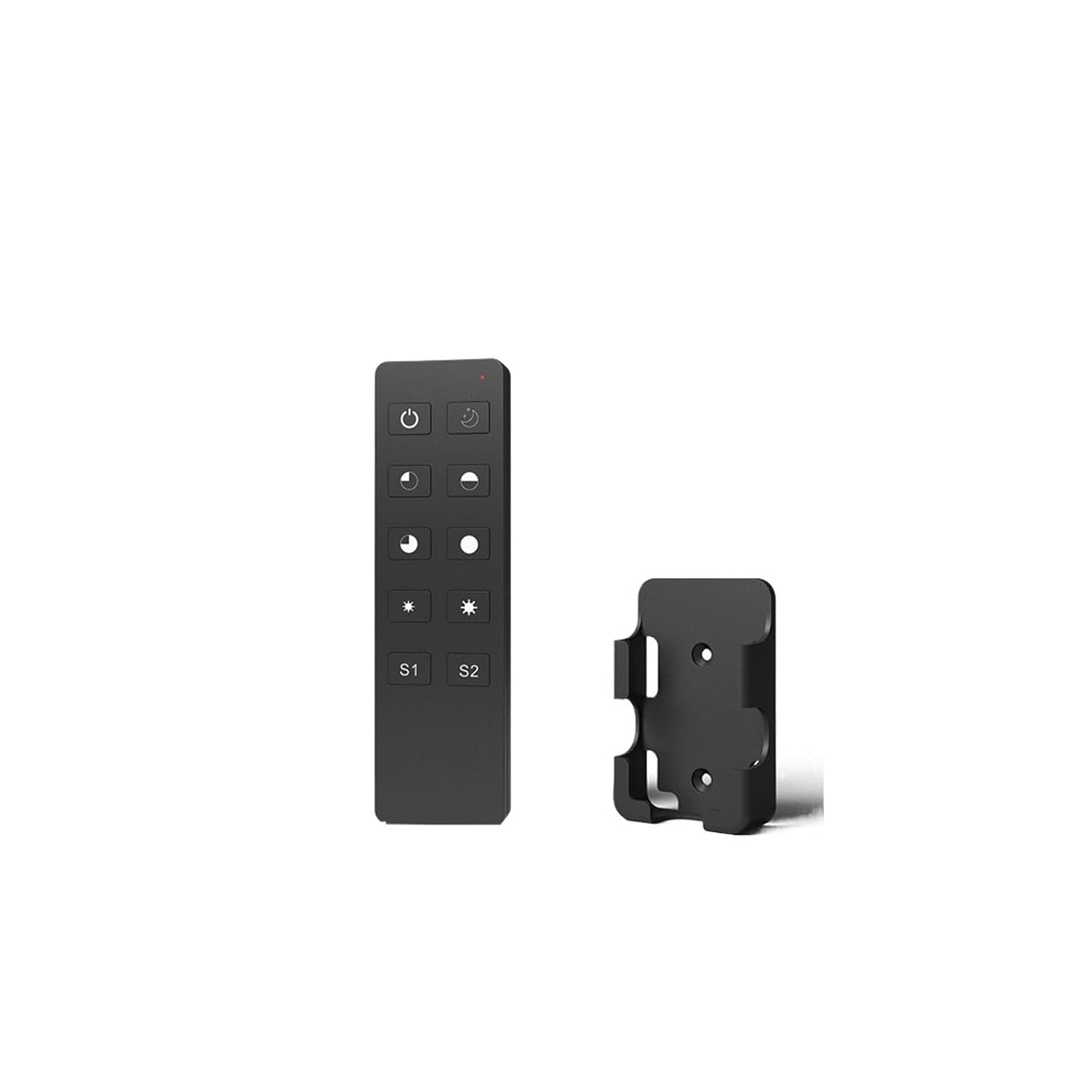
AC Triac Rotating Panel Dimmer 1CH 220V 230V 110V Monochrome Dimmable LED Lamp Traditional Incandescent Halogen Lamp Dimming(R1 Only)
Product details
| Management number | 213660865 | Release Date | 2026/04/12 | List Price | $24.40 | Model Number | 213660865 | ||
|---|---|---|---|---|---|---|---|---|---|
| Category | |||||||||
Outlet & Switch CombosAC thyristor rotating panel dimmerModel: KSRotary dimming/leading edge or trailing edge/minimum brightness settable/remote controlfeatureRotating panel AC phase-cut dimmer, 1 channel output.For dimming and switching monochromatic dimmable LED lamps, traditional incandescent lamps and halogen lamps.Rotate the knob to change the brightness, and support button and long press operations.Use the DIP switch to set leading edge dimming or trailing edge dimming.Minimum brightness can be set by pressing the button.The light on/off fade time is optional for 3 seconds.Compatible with 2.4G dimming remote control.Overheating/overload protection, automatic recoveryMain parameters:Input voltage: 100-240VDCOutput voltage: 100-240VDCOutput current: maximum 1.5.AOutput power: 120-240WDimming type: rotating panel AC phase-cut dimmingInput signal: Knob + 2.4GHzmodelR1: 10-key remote controlR11: Ultra-thin touch slide remote controlRT6: 4-zone dimming touch wheel remote controlHow to use KS with remote control?The AC Triac Rotary Panel Dimmer can also be used with a dimming remote control (optional).The end user can choose the appropriate matching/removal method. Three options are available to choose from:Use match keysmatch:Short press the matching button and immediately press the remote control switch key (R1 R11) or region key (RT6)delete:Press and hold the match key for 5 seconds to delete all matchesUse the knobmatch:To turn on or off the lights, immediately press the knob for 5 seconds, and immediately press the remote control switch key (R1 R11) or area key (RT6).delete:Turn the lights on, turn off the lights, immediately press the knob for 10 seconds to delete all matching remote controls.Power cyclematch:Turn the power off, then turn the power on, repeat again, immediately press the on/off key (R1 R11)Or press the zone key (RT6) on the remote control 3 times. The light flashes 3 times to indicate successful matching.delete:Turn the power off, then turn the power on, repeat again, immediately press the on/off key (R1 R11)Or press the zone key (RT6) on the remote control 5 times. The indicator light flashes 5 times to indicate that all matching remote controls have been deleted.safety information1. Please read all instructions carefully before starting installation.2. When installing the battery, pay attention to the positive and negative polarity of the battery. If the remote control is not used for a long time, please remove the batteries. When the remote control distance becomes smaller and becomes insensitive, please replace the battery.3. If the receiver does not respond, please pair the remote control again.4. Handle the remote control gently to avoid falling.5. For indoor and dry location use only.=========Features: AC two-way thyristor rotating panel dimmerModel: KSCertification: CE, ROHSMaterial: ABSmaximum. Load power: 360WOrigin: Mainland ChinaProduct Type: DimmerInput voltage: AC100-240VOutput voltage: AC100-240VOutput current: maximum 1.5AOutput power: 150-360WInput signal: Knob + 2.4GHzControl distance: 10m (barrier-free space)
- Outlet & Switch Combos
| Color | One Color |
|---|---|
| Model | QTIWYXYS |
| Terminal | Blade |
| Brand Name | QTIWYXYS |
| Unit Count | 1.0 Count |
| Switch Type | Bipolar Transistor |
| Circuit Type | 1-way |
| Contact Type | Normally Closed |
| Manufacturer | QTIWYXYS |
| Mounting Type | DIN Rail Mount |
| Connector Type | Clamp |
| Current Rating | 1 Amps |
| Operation Mode | OFF-NONE-ON |
| Item Dimensions | 4.72 x 4.72 x 4.72 inches |
| Number of Items | 1 |
| Contact Material | Alloy Steel |
| Operating Voltage | 1 Kilovolts |
| Specification Met | UL |
| Number of Positions | 1 |
| Lower Temperature Rating | 1 Degrees Celsius |
| Upper Temperature Rating | 1 Degrees Celsius |
| International Protection Rating | IP00 |


Bestseller ranking
Differential Cover


Customers who viewed this product also viewed
Outlet Switches


Correction of product information
If you notice any omissions or errors in the product information on this page, please use the correction request form below.
Correction Request Form